 GAME&
GAME&Buying classic hardware is easier than it used to be, but it is still one of the quickest ways to overspend on something incomplete, unreliable, or poorly described. The difference between a smart buy and a frustrating one is usually in the details.
This guide focuses on the practical checks that matter most in 2025: condition, included parts, known weak points, and which systems still offer the best balance of price, durability, and library strength.
What to check before you buy
Used electronics need sharper evaluation than new retail stock. No matter the platform, start with the same fundamentals.
Shell condition and visible wear
Yellowing, minor marks, and light cosmetic wear are common on older hardware and not always a dealbreaker. What matters more is structural damage or signs of poor storage.
- Cracks or broken housing — can expose internals or suggest impact damage
- Missing covers or loose flaps — not always fatal, but they reduce completeness
- Port corrosion — often points to moisture or long-term neglect
- Heavy tray or slot wear — can hint at rough use over time
Included accessories
A usable bundle should usually include the console, power supply, video cable, and at least one controller. If a listing says “console only”, price it knowing you still need to source everything else before you can even test properly at home.
Imported systems can arrive with mismatched power bricks. Always confirm voltage compatibility before switching on, especially with older Japanese or US hardware.
Live testing when possible
If you are buying in person, insist on seeing the hardware running with media. The quick checklist is simple:
- Does it boot cleanly without errors?
- Does it read discs or cartridges promptly?
- Is the video output stable?
- Do controller inputs respond correctly?
- On disc systems, does the drive open and close reliably?
Which consoles still make sense in 2025?
Not every classic system offers the same value today. Some are better as nostalgia pieces, while others still make strong everyday collecting or playing platforms.
Super Nintendo (SNES)
Top recommendationThe SNES remains one of the safest all-round buys because the software library is elite and the hardware is fundamentally robust. Cartridge-based systems avoid many of the mechanical issues that affect optical platforms.
Typical concerns: dirty cartridge contacts, ageing capacitors on some units, and occasional controller port wear.
- Excellent software library
- Reliable hardware base
- No optical drive issues
- Strong long-term collector appeal
- Good games keep climbing
- Modern display setup can need extra gear
- No native HDMI
Buying note: one of the safest systems if you want both play value and collector stability.
Sega Mega Drive
Excellent value pickThe Mega Drive is often the sensible buyer’s choice: broad library, recognisable exclusives, and hardware that usually holds up well. It is a very strong entry point if you want retro hardware without jumping straight into the most expensive ecosystem.
Typical concerns: dirty cartridge pins, cosmetic ageing, and controllers that feel tired after heavy long-term use.
- Accessible entry cost
- Big software range
- Generally durable hardware
- Great for local multiplayer
- No native HDMI
- Some region quirks
- Controller condition varies a lot
Buying note: one of the best “start here” systems if you want value without sacrificing identity.
PlayStation 1
Best mixed-use entryThe PS1 still works brilliantly as a collector entry system because the library is iconic and wide-ranging. The trade-off is the optical drive: disc-based hardware always carries more failure risk than cartridge systems.
Typical concerns: weakening lasers, drive inconsistency, missing memory cards, and messy bundle completeness.
- Huge historical importance
- Broad genre coverage
- Plenty of famous titles
- Still approachable at many price points
- Laser issues are common
- Video quality depends on setup
- Accessories are often missing
Buying note: ideal if you want a major collector platform and are willing to be more selective about hardware condition.
Nintendo 64
Buy selectivelyThe N64 hardware itself is usually dependable, but the total cost of building a satisfying library can rise quickly because the most recognisable games remain in steady demand.
Typical concerns: worn controller sticks, dirty cartridge contacts, and missing expansion cover pieces or accessories.
- Legendary first-party catalogue
- Strong multiplayer identity
- Reliable core hardware
- High shelf presence
- Games can get expensive fast
- Controllers wear heavily
- Display setup can be awkward
Buying note: worth it if you know which games you actually want, rather than buying into the platform blindly.
Xbox 360
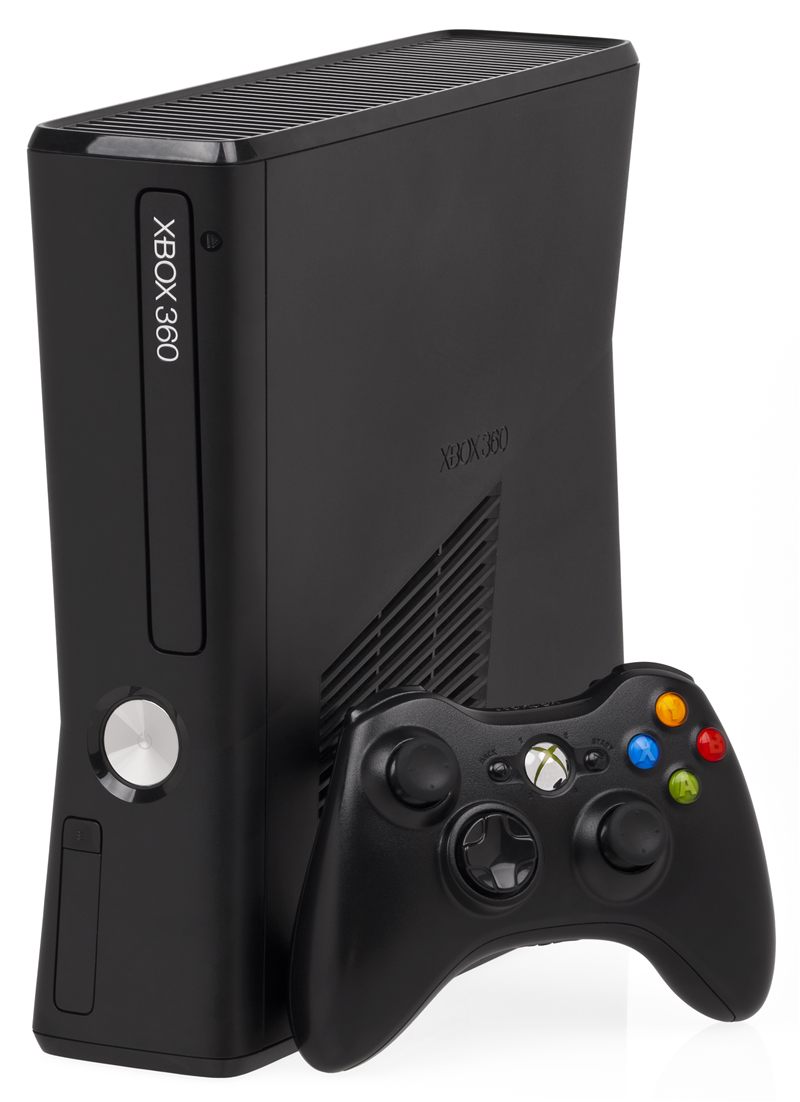
Value leaderThe Xbox 360 is still one of the best cost-to-library propositions in classic gaming. Slim and E models are the sensible choices, and the software range is deep enough to build an exciting shelf for relatively little money.
Typical concerns: avoid early hardware without confidence in its history, and test drives properly on heavily used units.
- Huge inexpensive game library
- Modern-enough connectivity on later models
- Excellent controller design
- Strong short-term value
- Early models carry more risk
- Optical drives still age
- Some ecosystem features are no longer current
Buying note: one of the easiest ways to build a large playable collection without overspending.
Getting a cleaner picture on modern displays
Classic systems were designed around older display standards. On modern panels, image softness and lag can become part of the buying equation because extra hardware may be needed.
- Composite: common and easy, but usually the softest image
- RGB/SCART paths: often the best practical analogue upgrade
- HDMI mods: cleanest result, but more invasive and expensive
- Upscalers: strong option for serious setups with low-lag goals
For most buyers, the smartest move is not maximum purity. It is choosing a reliable console first, then improving the display chain later once you know the system will stay in your setup. See current console stock →
Quick take: which system suits which buyer?
- Best all-round library: SNES or PS1
- Best value: Xbox 360 Slim or Mega Drive
- Best for multiplayer identity: N64 or Mega Drive
- Best for collectors: SNES, PS1, or N64 depending on budget
- Best for first-time buyers: Mega Drive or Xbox 360
- Lowest stress hardware choice: Mega Drive or SNES
Whatever you buy, prioritise honest condition notes, tested functionality, and completeness you can verify. That matters more than chasing the first bargain price you see. Browse checked consoles here.